

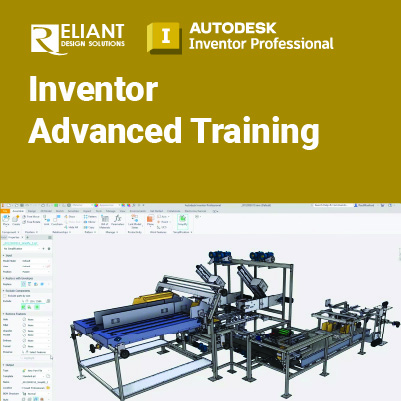
Inventor Advanced Training

Inventor Advanced:
Enhance Your Skills with Advanced Features in Autodesk Inventor
The Autodesk Inventor Advanced Training builds on the skills acquired in the Autodesk Inventor Essential to take students to a higher level of productivity when creating and working with parts and assemblies.
Prerequisites:
- The class assumes mastery of Autodesk Inventor basics.
- The use of Microsoft Excel is required for this training course.
Objectives:
- Advanced model appearance options
- Multi-body part modeling
- Advanced geometry creation tools (work features, area lofts, sweeps, and coils)
- Analysis tools
- Creating and editing basic surfaces, importing surfaces, and surface repair tools
- iFeatures and iParts
- Importing data from other CAD systems and making edits.
- Working with AutoCAD DWG files.
- Freeform modeling
- Emboss and Decal features
- Applying motion to existing assembly constraints using Motion and Transitional Constraints.
- Introduction of the Top-Down Design technique for creating assemblies and its components.
- Tools for Top-Down Design, such as associative links, adaptive parts, multi-body and layout design, derived components, and skeleton models.
- Creating Positional Representations to review motion, evaluate the position of assembly Using Shrinkwrap and other model simplification tools to create a part model that represents an overall assembly.
- Using the Design Accelerator to easily insert standard and customizable components and features into your model.
- Using iMates and iAssemblies to work efficiently with assemblies.
- Using the Frame Generator to create structural members.
- Working with weldments.
- Link and drive parameters to and from a spreadsheet. You also learn to custom format and create expressions in a parameter.
This course includes:
 |
 |
 |
 |
| Certificate of Completion | Hands-on Training | Computer provided | Training quality guaranteed |
 |
 |
 |
 |
| Exercise & Quizzes | Small Group | Support after Training | HRD Corp Claimable |
Training Programme : Day 1
Chapter 1 Sketching Tools
1.1 Splines
1.2 3D Sketches
Chapter 2 Multi Body Part Modeling
2.1 Creating Solid Bodies
2.2 Assigning Features to Solid Bodies
Chapter 3 Advanced Work Features
3.1 Grounded Work Points
3.2 User Coordinate Systems
Chapter 4 Advanced Lofts, Sweeps and Coils
4.1 Area Lofts
4.2 Advanced Sweeps
Chapter 5 Analyzing a Model
5.1 Zebra Analysis
5.2 Draft Analysis
5.3 Curvature Analysis
5.4 Surface Analysis
5.5 Cross Section Anaysis
Chapter 6 Surfacing
6.1 Basic Surtfaces
6.2 Patch Surfaces
6.3 Stitch Surfaces
6.4 Sculpting with Surfaces
6.5 Thickening and Offsetting a Surface
6.6 Surfaces in Drawing Views
6.7 Extend and Trim Surfaces
6.8 Replace Face with a Surface
6.9 Delete Faces
6.10 Copy Surfaces
Training Programme : Day 2
Chapter 7: iFeatures, iParts and iAssemblies
9.1 Creating iFeatures
9.2 Creating iPart
9.3 Creating iAssembly
Chapter 8: Free Form Modeling
10.1 Creating Free Form Modeling
10.2 Editing Free Form Modeling
Chapter 9: Top-Down Design
11.1 Top-Down Design Process
11.2 Top-Down Design Tools
Chapter 10: Derived Components
12.1 Derived Components
12.2 Modify Derived Components
Chapter 11: Associative Links and Adaptive Parts
13.1 Associative Links
13.2 Adaptive Assembly Parts
Training Programme : Day 3
Chapter 12 iMates
14.1 Creating iMates
14.2 Composite iMates
Chapter 13 Model Simplification
15.1 Shrinkwrap
15.2 Assembly Simplification
Chapter 14 Design Accelerator
16.1 Design Accelerator
16.2 Generators
16.3 Calculators
16.4 Engineer’s Handbook
Chapter 15 Inventor Studio
17.1 Rendering
17.2 Animation
17.3 Video Producer
17.4 Creating a Standard Room
Chapter 16 Frame Generator
18.1 Frame Generator
18.2 Structural Shape Author
Chapter 17 Working with Weldments
19.1 Fillet Welds
19.2 Cosmetic Welds
19.3 Groove Welds
Let’s plan your training.
Share your requirements and we’ll recommend the right training solution.