



Build better.
Work smarter.
Connect people, documents, and data across the entire project lifecycle with Bluebeam’s industry-leading PDF markup and real-time collaboration solutions.
What is Bluebeam?
Reduce rework and inefficiencies at every project stage.
Architects - Improve communication and design quality
Engineers - Maintain data integrity from the start
Contractors - Save time and money, project after project
Subcontractors - Connect the office and field in real time
Public Sector - Speed up all your processes
Why Bluebeam?
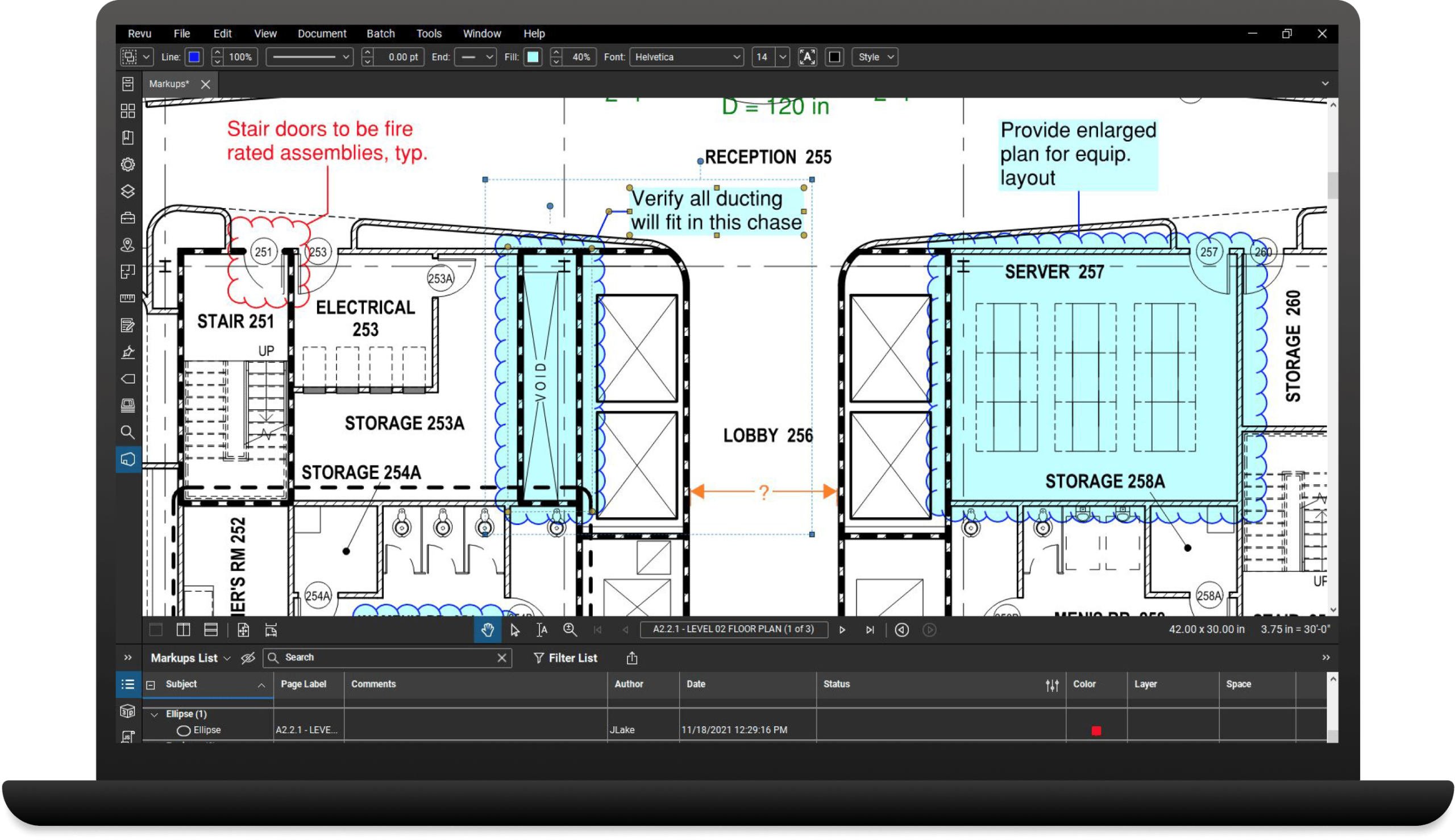
Revu® is the essential desktop application for marking up, collaborating on, and working with PDF drawings and documents.
- Improve communication and reduce errors with industry-standard markup and measurement tools
- Collaborate in real time with teammates and other project contributors from anywhere in the world
- Streamline your workflows and speed up everyday tasks with process-efficiency tools
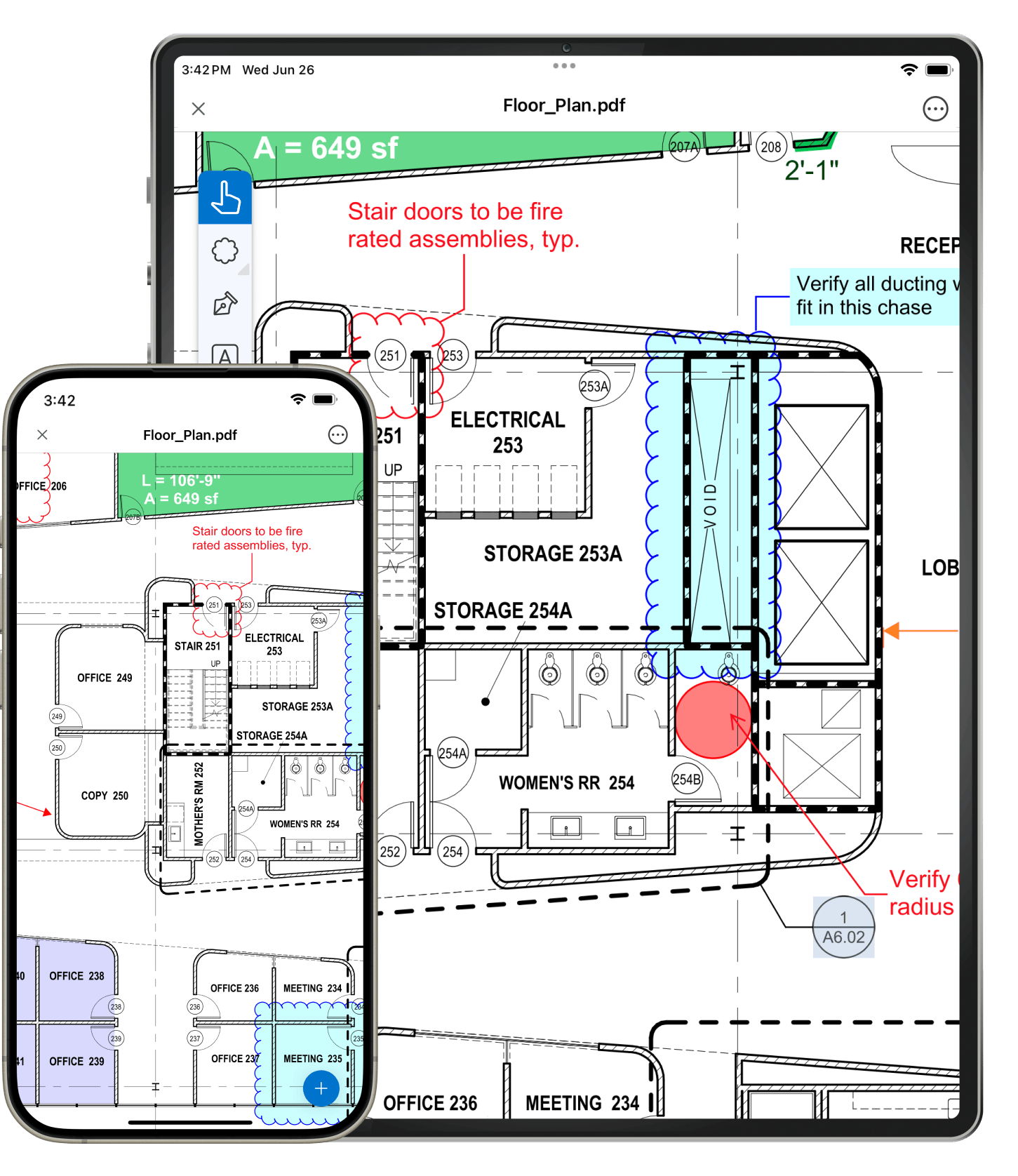
Extend the powers of Revu to web and mobile so you can work from anywhere.
- Get the latest information when you need it, where you need it
- No need to install Revu — simply pick up and mark up on your web browser or mobile device
- Invite anyone to collaborate on drawings in real time, even if they don’t have Bluebeam
Show what you need to say with best-in-class markup and measurement tools.
- Visually communicate with off-the-shelf, customizable markups set to drawing scale
- Show even more by attaching snapshot images and metadata to your markups
- Confidently measure and calculate length, depth, volume, and much more – all at drawing scale
- Focus on the right information by sorting, filtering, and grouping your list of markups
Work from a single source of truth across all phases of the project with Studio, our collaboration environment.
- Avoid overlapping changes between stakeholders with check in/out capabilities
- Speed up feedback cycles by getting users on the same page, in real time
- Stay on track by assigning markups to stakeholders and running status reports
- Keep collaborators accountable with a detailed activity record of their actions
Set standards, streamline workflows, and speed up everyday tasks with process-efficiency tools.
- Configure your user interface and Tool Chest to your project needs
- Connect your workflows with key third-party software applications
- Quickly locate symbols, images, or annotations with computer vision
- Process documents in bulk with batch slip-sheeting, stamping, and more
Basics
Core
Complete
Frequently asked questions (FAQs)
What is Bluebeam Revu?
Revu is Bluebeam’s foundational project efficiency and collaboration solution that allows you to create, edit, mark up, and organize PDFs. Revu also includes Studio, where you can securely collaborate in real time with team members anywhere in the world via desktop, web browser or mobile device. Our latest version is included in all subscription plans.
All information and offers provided herein is for reference only and shall follow the Principal’s official website as the definitive and most accurate source.
Is Bluebeam similar to AutoCAD?
Many architects and engineers use Bluebeam as a post-production tool for AutoCAD to streamline the review process, first designing 2D or 3D drawings in AutoCAD then using Bluebeam to mark them up in real time. Customers without CAD software can also build out drawings with the easy-to-use markup tools and CAD-like functionality in Revu.
What’s the difference between Adobe and Bluebeam?
While both Adobe and Bluebeam offer PDF markup and management tools, Bluebeam software is custom built for AEC professionals, with industry-standard markups and real-time collaboration capabilities specially designed to simplify every phase of the construction process.
How does Bluebeam construction software help with document management?
Bluebeam construction software facilitates document management by centralizing drawings, documents, and data, enabling secure access, upload, review, and editing by team members from anywhere, while also offering features for version control, real-time collaboration, and streamlined communication.
Get a free quote today!
Fill in the form below and we will get back you soonest possible.
Let's get connected here for more information!