


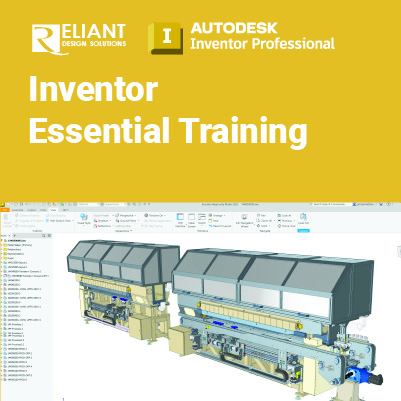
Inventor Essential Training

Inventor Essential:
Fundamentals of 3D Mechanical Design in Autodesk Inventor
The Autodesk Inventor Essential training guide instructs students in the best usage approaches for parametric design philosophy through a hands-on, practice-intensive curriculum. Students acquire the knowledge needed to complete the process of designing models from conceptual sketching, through to solid modeling, assembly design, and drawing production
Prerequisites:
- Students do need to be experienced with the Windows operating system and a background in drafting of 3D parts is recommended.
Objectives:
- The Autodesk Inventor software interface
- Creating 2D sketches Constraining and dimensioning sketches
- Generating 3D parts from sketches
- Part modeling, adding, and editing 3D features
- Work Features
- Creating equations and working with parameters
- Model geometry and model display manipulation
- Resolving feature failures
- Feature duplication techniques
- Establishing and working with model relationships
- Placing and constraining/connecting parts in assemblies
- Assembly component display
- Model Information
- Presentation files (Exploded views)
- Assembly tools
- Creating parts and features in assemblies
- Assembly bill of materials
- Working with projects
- Creating and annotating drawings and views
- Customization
This course includes:
 |
 |
 |
 |
| Certificate of Completion | Hands-on Training | Computer provided | Training quality guaranteed |
 |
 |
 |
 |
| Exercise & Quizzes | Small Group | Support after Training | HRD Corp Claimable |
Training Programme : Day 1
Chapter 1 Introduction to Autodesk Inventor
1.1 Introduction
1.2 Autodesk Inventor Fundamentals
1.3 Getting Started
1.4 Autodesk Inventor Interface
1.5 Model Manipulation
Chapter 2 Creating the Base Feature
2.1 Creating a New Part File
2.2 Sketched Base Features
Chapter 3 Sketching Geometry
3.1 Sketch Geometry
Chapter 4 Additional Sketching Tools
4.1 Advanced Editing Tools
4.2 Rectangular Sketch Patterns
4.3 Circular Sketch Patterns
4.4 Over-Dimensioned Sketches
4.5 Sketch Preferences
Chapter 5 Sketched Secondary Features
5.1 Extruded Secondary Features
5.2 Revolved Secondary Features
5.3 Using Existing Geometry
5.4 Editing Sketched Secondary Features
5.5 3D Grip Modification
Chapter 6 Creating Pick and Place Features
6.1 Edge Chamfer
6.2 Constant Fillets
6.3 Variable Fillets
6.4 Face Fillets
6.5 Full Round Fillets
6.6 Straight Holes
6.7 Threads
6.8 Editing Pick and Place Features
6.9 Creation Sequence
Chapter 7 Work Features
7.1 Work Planes
7.2 Work Axes
7.3 Work Points
Chapter 8 Equations
8.1 Equations
8.2 Parameters
Chapter 9 Additional Features
9.1 Face Draft
9.2 Splitting a Face or Part
9.3 Shells
9.4 Ribs
9.5 Bend Part
Chapter 10 Model and Display Manipulation
10.1 Reordering Feature
10.2 Inserting Features
10.3 Suppressing Features
10.4 Section Views
10.5 Design Views
Training Programme : Day 2
Chapter 11 Fixing Problems
11.1 Sketch Failure
11.2 Feature Failure
12.1 Sweep Features
Chapter 12 Sweep Features
12.1 Sweep Features
Chapter 13 Loft Features
13.1 Rail Lofts
13.2 Center Line Lofts
13.3 Advanced Loft Options
Chapter 14 Duplication Tools
14.1 Rectangular Feature Patterns
14.2 Circular Feature Patterns
14.3 Mirror Parts or Features
14.4 Manipulate Patterns and Mirror Features
Chapter 15 Feature Relationships
15.1 Establishing Relationships
15.2 Controlling Relationships
15.3 Investigating Relationships
15.4 Changing Relationships
Chapter 16 Assembly Environment
16.1 Assembling Components using Constraints
16.2 Content Center
16.3 Assembly Browser
16.4 Saving Files
Chapter 17 Joint Connections
17.1 Assembling Components Using Joints
18.1 Moving and Rotating Assembly Components
18.2 Suppressing Constraints
18.3 Component Display
18.4 Selection Options in Assemblies
Chapter 19 Model Information
19.1 Measurement Tools
19.2 Model Properties
Training Programme : Day 3
Chapter 20 Design Presentation and Animation
20.1 Exploded View Presentations
Chapter 21 Assembly Tools
21.1 Replacing Components
21.2 Restructuring Components
21.3 Driving Constraints
21.4 Contact Solver
21.5 Interference
Chapter 22 Assembly Parts and Features
22.1 Assembly Parts
22.2 Assembly Features
Chapter 23 Assembly Bill of Materials
23.1 Create Virtual Components
23.2 Create Bill of Materials
Chapter 24 Working With Projects
24.1 New Projects
24.2 Resolving Links
24.3 The Vault Browser
25.1 New Drawing Views
25.2 Manipulating Views
Chapter 26 Detailing Drawings
26.1 Dimensions
26.2 Drawing Sheets
26.3 Parts List
26.4 Balloons
26.5 Styles and Standards
26.6 Hatching
Chapter 27 Drawing Annotations
27.1 Text
27.2 Symbols
27.3 Hole and Thread Notes
27.4 Chamfer Notes
27.5 Center Marks and Center Lines
27.6 Hole Tables
27.7 Revision Tables and Tags
Chapter 28 Customizing Autodesk Inventor
28.1 Application Options
28.2 Document Settings
28.3 File Properties
28.4 Changing Part Units
28.5 Command Customization
Let’s plan your training.
Share your requirements and we’ll recommend the right training solution.