



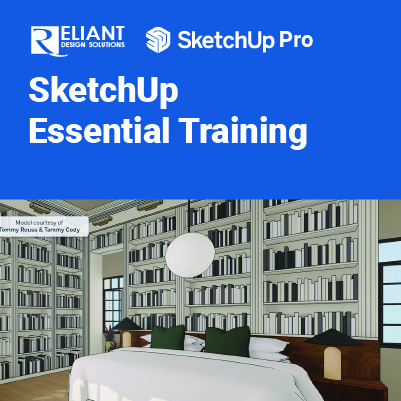
SketchUp Essential Training

SketchUp Essential:
Basic Tools and Techniques for SketchUp Beginners
SketchUp Essential training will help you to start drawing, designing, and rendering your ideas with SketchUp, the inexpensive 3D modeling toolkit used for everything from architecture to game design. This training covers the fundamentals of the application, the interface, and how to model objects from scratch. Plus, learn how to texture objects and create simple animations.
Prerequisites:
- A working knowledge of your operating system.
Objectives:
- Creating camera views
- Shading faces and edges
- Scaling and rotating objects
- Creating circles, polygons, and arcs
- Making 3D text
- Labeling a drawing
- Working with 3D components
- Applying materials and mapping textures
- Rendering and animating your work
This course includes:
 |
 |
 |
 |
| Certificate of Completion | Hands-on Training | Computer provided | Training quality guaranteed |
 |
 |
 |
 |
| Exercise & Quizzes | Small Group | Support after Training | HRD Corp Claimable |
Training Programme : Day 1
Chapter 1 The SketchUp Interface
- Interface basics
- Navigating in SketchUp
- Walking around in SketchUp
- Shading faces and edges
- Creating shadows and fog
- Creating scenes
- Using the toolbars
Chapter 2 Manipulating Objects
- Selecting and moving objects
- Scaling and rotating objects
- Manipulating faces and edges
- Advanced selection tools
Chapter 3 Drawing in SketchUp
- Line tool fundamentals
- Using the Line tool for 3D drawing
- Using the Rectangle tool
- Creating circles and polygons
- Creating arcs
- Eraser tools
- Pushing and pulling faces into 3D
- Using the Offset tool to create outlines
- Using the Follow Me tool
- Creating 3D text
- Softening round edges
Chapter 4 Measuring and Labeling
- Using the Tape Measure tool to create guidelines
- Using the Protractor tool
- Creating sections
- Creating labels
- Dimensioning
Training Programme : Day 2
Chapter 5 Organizing Scenes
- Grouping objects
- Working with layers
- Using the Outliner and Entity Info
- Hiding and unhiding objects
- Locking and unlocking objects
Chapter 6 Working with Components
- The Component window
- Creating components
- Using the 3D Warehouse
- Using the Component Options window
- Using the Interact tool
Chapter 7 Creating Textures and Materials
- Using the Materials palette on a Mac
- Applying materials
- Editing materials
- Creating materials
- Mapping textures interactively
- Creating a floor plan using bitmap images
- Drawing a structure from a floor plan
- Mapping curved objects
- Projecting maps onto curved objects
Chapter 8 Rendering and Animation
- Applying styles
- Creating styles
- Exporting in 2D and 3D
- Basic animation
Let’s plan your training.
Share your requirements and we’ll recommend the right training solution.