




OVERVIEW : VAULT
What is Autodesk Vault?
Autodesk Vault product data management (PDM) software integrates with Autodesk design tools and other CAD systems to keep everyone working from a central source of organised data.
- Automate design and engineering processes.
- Control what people can access and edit.
- Track revisions and design history.

Why use Autodesk Vault?
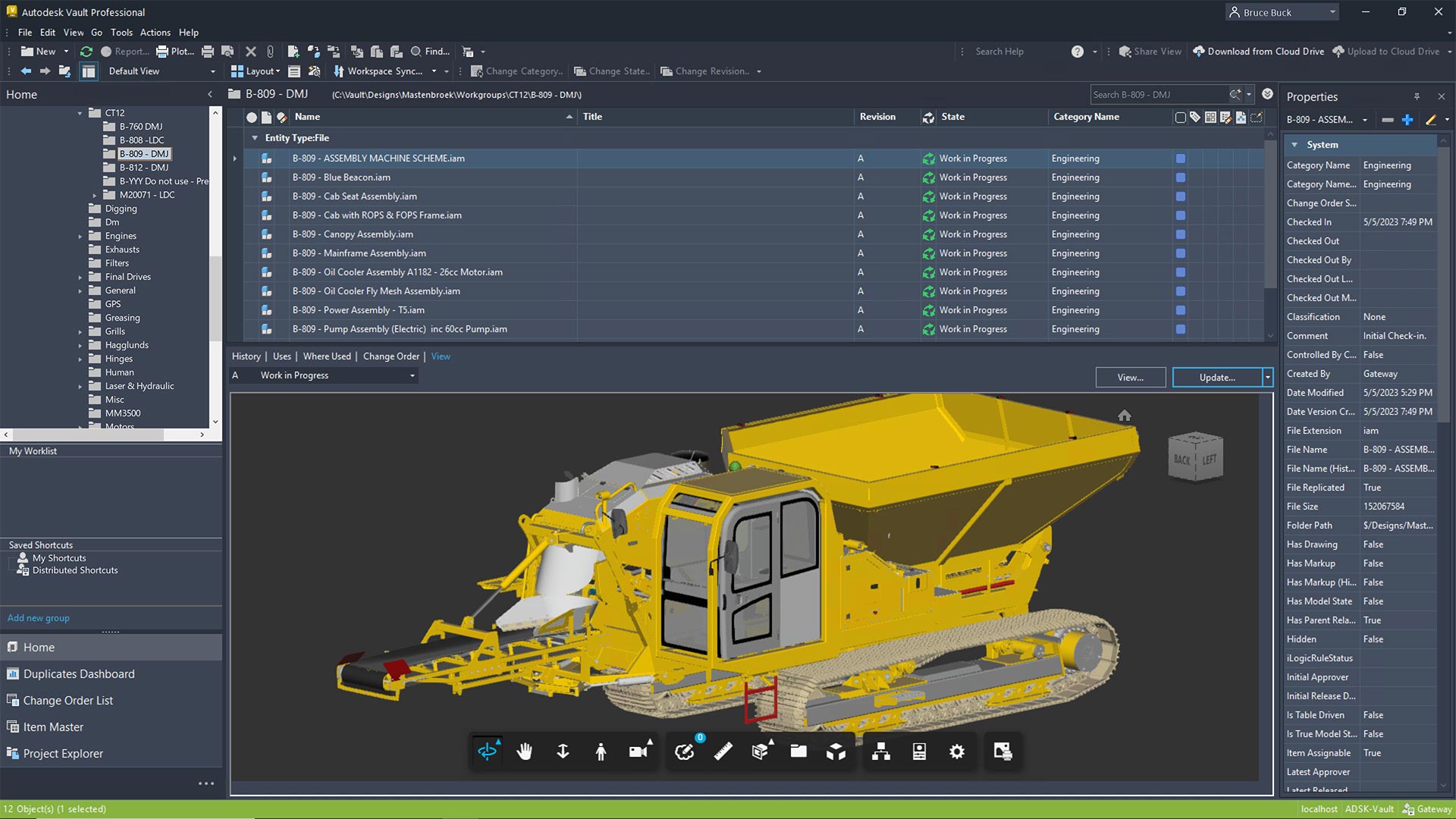
Stop searching and start designing
Quickly find and reuse design data while minimising rework and repetitive tasks. Vault keeps files, relationships, versions, and history organised so teams can spend more time designing.
Unify teams and boost productivity
Accelerate workstreams in a system that brings together internal and external collaborators. Controlled access and revision tracking help every contributor work from the right information.

Choose the right Vault for your team
Vault Professional supports enterprise PDM and distributed multi-CAD collaboration. Vault Office extends document management to non-CAD users. Vault Basic provides essential design-file management, while Vault PLM connects Vault Professional with Fusion Manage.
Vault Professional
Advanced enterprise PDM for distributed teams and multi-CAD collaboration.
Vault Office
Document management for non-CAD users working in familiar Office apps.
Vault Basic
Essential design-file management for organised data creation and documentation.
Vault PLM
Vault Professional and Fusion Manage connected across the product lifecycle.
Thin client
Access Vault data through a browser without a full desktop installation.
Vault Gateway
Securely connect remote teams to Vault data without requiring a VPN.
Connected product data for every workflow
Vault Professional
Advanced PDM for distributed teams, multisite collaboration, automation, and deeper product-data insight.
Vault PLM
Connect engineering data with new product introduction, change management, bills of materials, supplier collaboration, and quality workflows.
What you can do with Autodesk Vault

Standardise data and processes
Drive efficiency and organisational standards for data creation, revision control, review, and release. CAD-integrated PDM keeps teams aligned while they work in Inventor and other design tools.

Work with your data anywhere
Use the mobile app, browser-based thin client, Vault Gateway, and Project Sync to access information and collaborate beyond the office.
Connect Vault with business systems
Vault Data APIs extend product-data access to other business systems. Add Fusion Manage with Vault PLM to connect engineering, supply chain, quality, and manufacturing processes.
Frequently asked questions (FAQs)
What is Autodesk Vault used for?
Vault manages product data, automates engineering workflows, and tracks changes, versions, and design history. It integrates with Autodesk design tools and other CAD systems and can synchronise data across multiple sites.
Who uses Autodesk Vault?
Engineers, designers, and extended project teams use Vault to work from centralised data, reduce errors, improve collaboration, and save time across product development.
What is the difference between Vault and Vault PLM?
Vault Professional focuses on product data management. Vault PLM combines Vault Professional with Fusion Manage to connect engineering data and processes across supply chain, quality, and manufacturing teams.
Let’s get your product data under control.
Tell us about your CAD environment, team, and workflow. We’ll help you choose the right Autodesk Vault solution.