

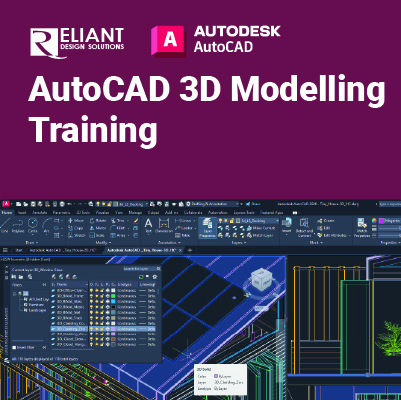
AutoCAD 3D Modelling Training

AutoCAD 3D Modelling:
Develop Skills to Convert 2D Drawings into 3D Models
AutoCAD 3D Modelling training introduces students who are proficient with the 2D commands in the AutoCAD® software to the concepts and methods of 3D modelling. The training provides a thorough grounding in the fundamentals of 3D and explores the main features of the advanced 3D Modelling workspace in the AutoCAD software.
Prerequisites:
- Before taking this course, students need to have a good working skill level in the AutoCAD software.
Objectives:
- 3D viewing techniques
- Working with simple and composite solids
- Creating complex solids and surfaces
- Modifying objects in 3D space
- Editing solids
- Creating sections, camera perspectives, and animations
- Converting 3D objects
- Setting up a rendering with materials and lights
- Creating 2D drawings from 3D models
- Working with the User Coordinate System
This course includes:
 |
 |
 |
 |
| Certificate of Completion | Hands-on Training | Computer provided | Training quality guaranteed |
 |
 |
 |
 |
| Exercise & Quizzes | Small Group | Support after Training | HRD Corp Claimable |
Training Programme : Day 1
Chapter 1 3D Foundations
1.1 Why Use 3D?
1.2 Introduction to the 3D Modelling Workspace
1.3 Basic 3D Viewing Tools
1.4 3D Navigation Tools
1.5 Introduction to the User Coordinate System
Chapter 2 Simple Solids
2.1 Working with Solid Primitives
2.2 Solid Primitive Types
2.3 Working with Composite Solids
2.4 Working with Mesh Models
Chapter 3 Working with the User Coordinate System
3.1 UCS Basics
3.2 UCS X, Y, and Z Commands
3.3 UCS Multi-functional Grips
3.4 Saving a UCS by Name
Chapter 4 Creating Solids & Surfaces from 2D Objects
4.1 Complex 3D Geometry
4.2 Extruded Solids and Surfaces
4.3 Swept Solids and Surfaces
4.4 Revolved Solids and Surfaces
4.5 Lofted Solids and Surfaces
4.6 NURBS Surfaces
Chapter 5 Modifying in 3D Space
5.1 3D Gizmo Tools
5.2 Aligning Objects in 3D Space
5.3 3D Modify Commands
Training Programme : Day 2
Chapter 6 Advanced Solid Editing
6.1 Editing Components of Solids
6.2 Editing Faces of Solids
6.3 Fillets and Chamfers on Solids
Chapter 7 Additional Editing Tools
7.1 Creating a Shell
7.2 Imprinting Edges of Solids
7.3 Slicing a Solid along a Plane
7.4 Interference Checking
7.5 Converting Objects to Surfaces
7.6 Converting Objects to Solids
Chapter 8 Refining the View
8.1 Working with Sections
8.2 Working with Cameras
8.3 Managing Views in 3D
8.4 Animating with ShowMotion
8.5 Creating ShowMotion Shots
8.6 Creating Animations
Chapter 9 Visualization
9.1 Creating Visual Styles
9.2 Working with Materials
9.3 Specifying Light Sources
9.4 Rendering Concepts
Chapter 10 Working Drawings from 3D Models
10.1 Creating Multiple Viewports
10.2 2D Views from 3D Solids
10.3 Creating Technical Drawings with Flatshot
10.4 3D Model Import
10.5 Automatic Model Documentation
Let’s plan your training.
Share your requirements and we’ll recommend the right training solution.