

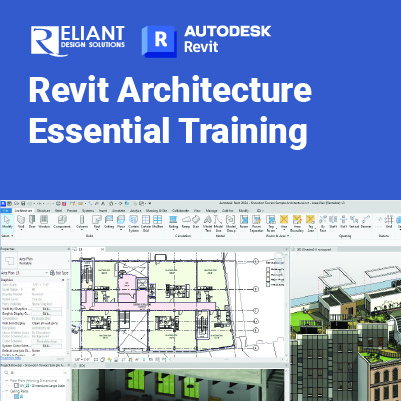
Revit Architecture Essential Training

Revit Architecture Essential:
Gain Essential Skills for Revit-Based Architectural Design
The Autodesk® Revit® software is a powerful Building Information Modeling (BIM) program that works the way architects think. The program streamlines the design process through the use of a central 3D model, where changes made in one view update across all views and on the printable sheets.
This training is designed to teach you the Autodesk Revit functionality as you would work with it throughout the design process. You begin by learning about the user interface and basic drawing, editing, and viewing tools. Then you learn design development tools including how to model walls, doors, windows, floors, ceilings, stairs and more. Finally, you learn the processes that take the model into the construction documentation phase.
Prerequisites:
- A working knowledge of basic design/drafting procedures and terminology.
- A working knowledge of your operating system.
Objectives:
- Understand the purpose of Building Information Management (BIM) and how it is applied in the Autodesk Revit software.
- Navigating the Autodesk Revit workspace and interface.
- Working with the basic drawing and editing tools.
- Creating Levels and Grids as datum elements for the model.
- Creating a 3D building model with walls, curtain walls, windows, and doors.
- Adding floors, ceilings, and roofs to the building model.
- Creating component-based and custom stairs.
- Adding component features, such as furniture and equipment.
- Setting up sheets for plotting with text, dimensions, details, tags, and schedules.
This course includes:
 |
 |
 |
 |
| Certificate of Completion | Hands-on Training | Computer provided | Training quality guaranteed |
 |
 |
 |
 |
| Exercise & Quizzes | Small Group | Support after Training | HRD Corp Claimable |
Training Programme : Day 1
Chapter 1 Introduction to BIM and Autodesk Revit
1.1 Building Information Modeling
1.2 Overview of the Interface
1.3 Standard Terminology
1.4 Starting Projects
1.5 Viewing Commands
Chapter 2 Basic Drawing and Modify Tools
2.1 Using General Drawing Tools
2.2 Editing Elements
2.3 Working with Basic Modify Tools
2.4 Working with Additional Modify Tools
Chapter 3 Setting Up Levels and Grids
3.1 Setting Up Levels
3.2 Linking and Importing CAD Files
3.3 Creating Structural Grids
3.4 Adding Columns
Chapter 4 Modeling Walls
4.1 Modeling Walls
4.2 Modifying Walls
Chapter 5 Working with Doors and Windows
5.1 Inserting Doors and Windows
5.2 Loading Door and Window Types from the Library
5.3 Creating Additional Door and Window Sizes
Training Programme : Day 2
Chapter 6 Working with Curtain Walls
6.1 Creating Curtain Walls
6.2 Adding Curtain Grids
6.3 Working with Curtain Wall Panels
6.4 Attaching Mullions to Curtain Grids
Chapter 7 Working with Views
7.1 Duplicating Views
7.2 Adding Callout Views
7.3 Setting the View Display
7.4 Elevations and Sections
Chapter 8 Adding Components
8.1 Adding Components
8.2 Modifying Components
Practice 8a Add Components
Chapter 9 Modeling Floors
9.1 Modeling Floors
9.2 Creating Shaft Openings
9.3 Creating Sloped Floors
Chapter 10 Modeling Ceilings
10.1 Modeling Ceilings
10.2 Adding Ceiling Fixtures
10.3 Creating Ceiling Soffits
Training Programme : Day 3
Chapter 11 Modeling Roofs
11.1 Modeling Roofs
11.2 Creating Roofs by Footprint
11.3 Reference Planes and Work Planes
11.4 Creating Roofs by Extrusion
11.5 Cleaning Up Wall and Roof Intersections
Chapter 12 Vertical Circulation
12.1 Creating Component Stairs
12.2 Modifying Component Stairs
12.3 Working with Railings
12.4 Sketching Custom Stairs
12.5 Creating Ramps
Chapter 13 Creating Construction Documents
13.1 Setting Up Sheets
13.2 Placing and Modifying Views on Sheets
13.3 Printing Sheets
Chapter 14 Annotating Construction Document
14.1 Working with Dimensions
14.2 Working With Text
14.3 Adding Detail Lines and Symbols
14.4 Creating Legends
Chapter 15 Adding Tags and Schedules
15.1 Adding Tags
15.2 Adding Rooms and Tags
15.3 Working with Schedules
Chapter 16 Creating Details
16.1 Setting Up Detail Views
16.2 Adding Detail Components
16.3 Annotating Details
16.4 Keynoting and Keynote Legends
Let’s plan your training.
Share your requirements and we’ll recommend the right training solution.